
Your AI Security Officer
Meet Officer
MAGI.
The teammate who never gets rushed. MAGI reads the message, the link and the pressure behind them, then tells you what it sees. Your instincts. MAGI's context. You make the call.
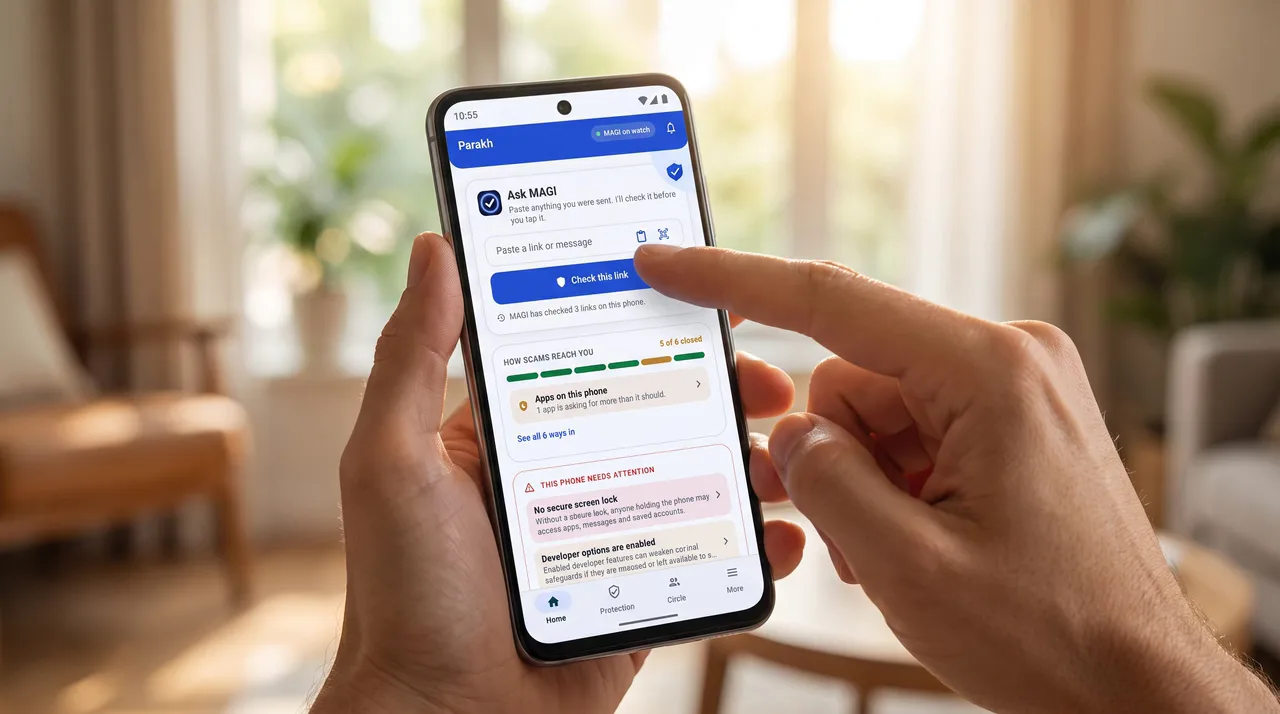
Fits the way you use your phone
One officer.
Four ways in.
Tap
Tap a link. Browse with backup.
Make Parakh your browser and every page opens with MAGI beside you. Not sure about a link? Protected Preview lets you look before you trust.
Paste
Paste what worries you.
Copy the message or link, drop it into Parakh, and get a verdict in plain words. No account needed for the on-device check.
Scan
Scan the QR code.
See where a code really leads before you go there. Shop counters, posters, parking signs.
Snap
Snap or screenshot it.
Share a picture. MAGI reads it on your phone, and the picture stays there.
Inside the app
Read the verdict.
Make the call.
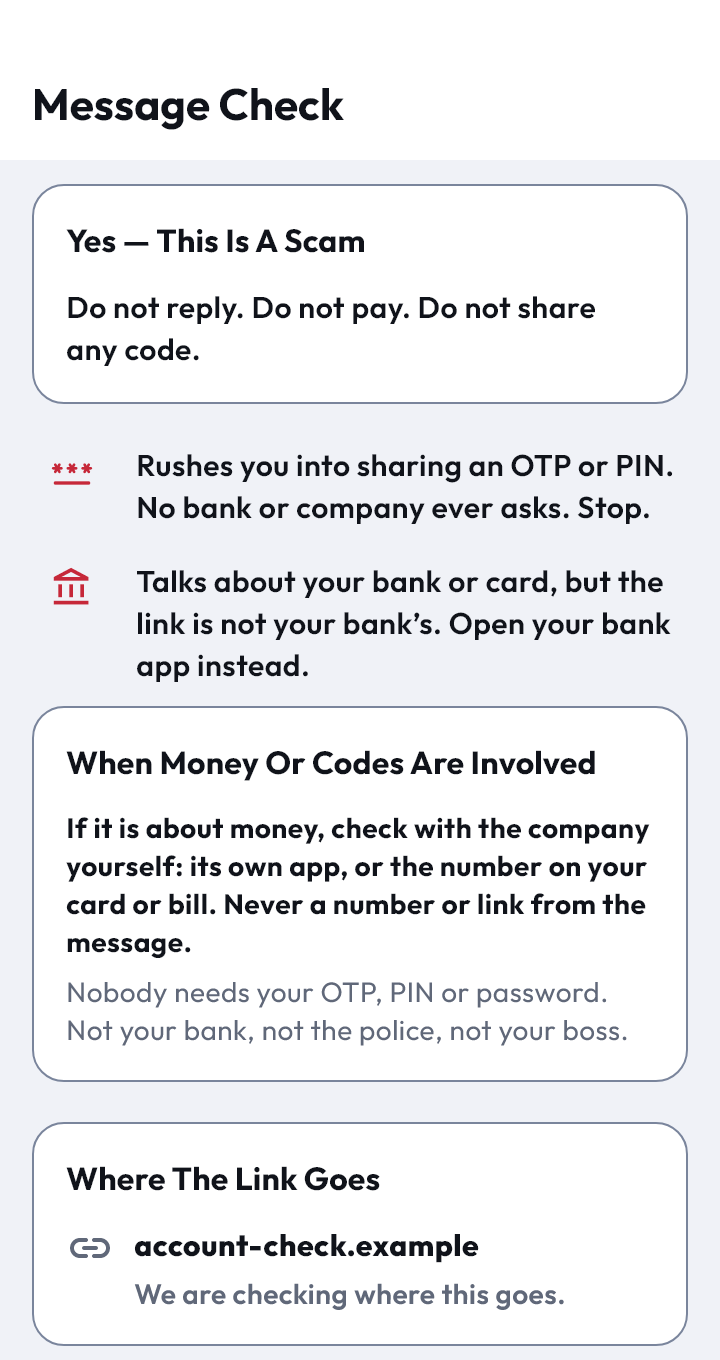
1
See what it wants
MAGI reads who a message claims to be, what it asks for and how hard it pushes.
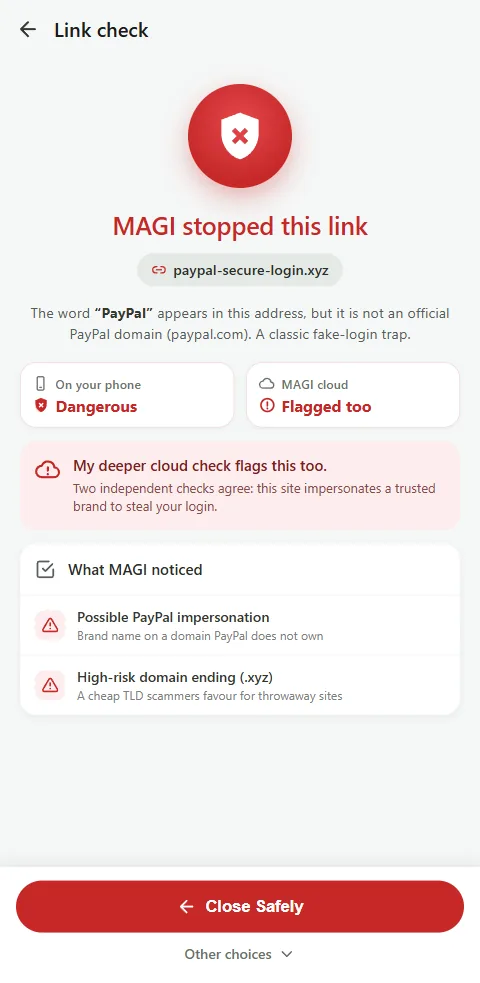
2
See where it really goes
The name on the link, next to the place it sends you. Often they don't match.
3
Know why, then decide
A reason, not a risk score, so you learn the pattern and spot the next one yourself.
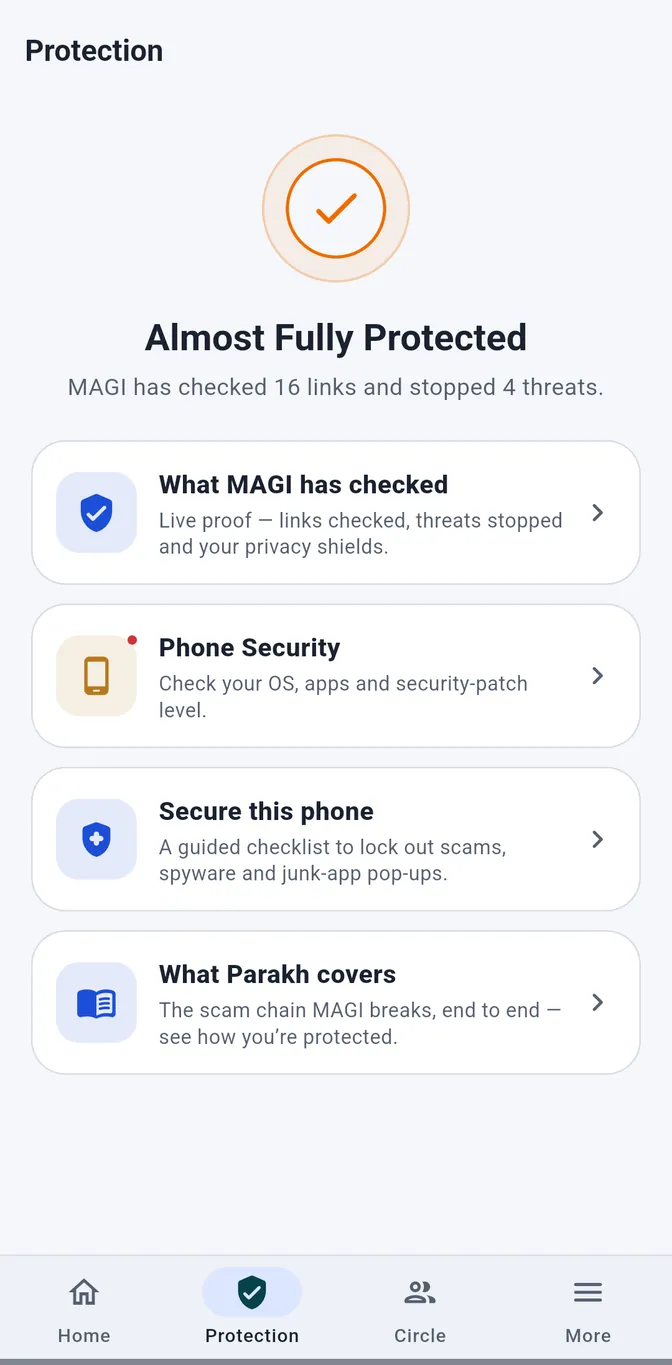
Protection · Android phone checks
Lock the back door too.
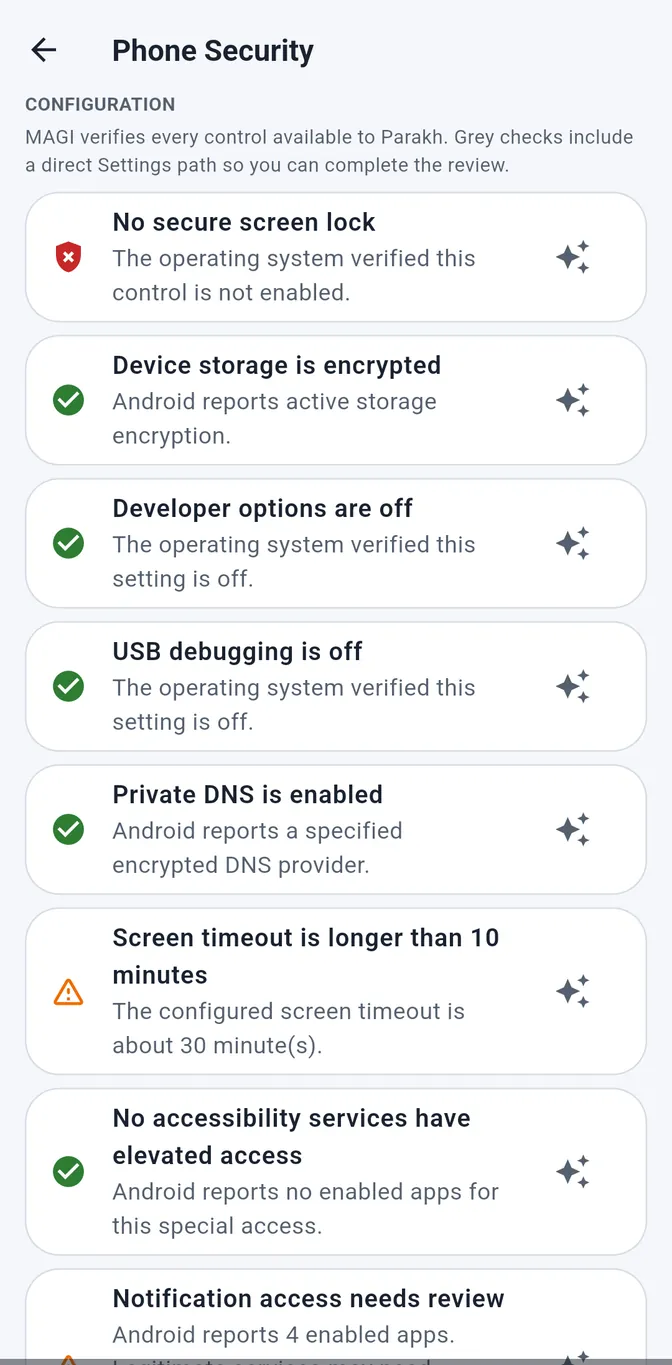
The scam is not always in the message. Protection looks at the phone itself: no screen lock, developer access left on, an app with too much reach.
- ✓A named finding. What it is and why it matters.
- ✓A clear next step. Where to go in Settings to review it.
- ✓Honest when unsure. A check that couldn't run is never shown as safe.
Privacy, simply
Protection that
minds its business.
Keep the browser you love. Share a message when something feels off. MAGI brings context, not a lecture.
- ✓The first read happens on your phone.
- ✓Your screenshot stays on your phone.
- ✓A recognised scam pattern can help the next person.
Your instincts. MAGI in your corner.
Free for personal use. Family and Work Circles when you are ready.